Connect your Motive account and your IVMRs, IFTA miles and driver timecards are built from your trucks' own Motive data. No exports, no spreadsheets.
Once Motive is connected, Mileage Reports reads your fleet's data every day and puts it to work:
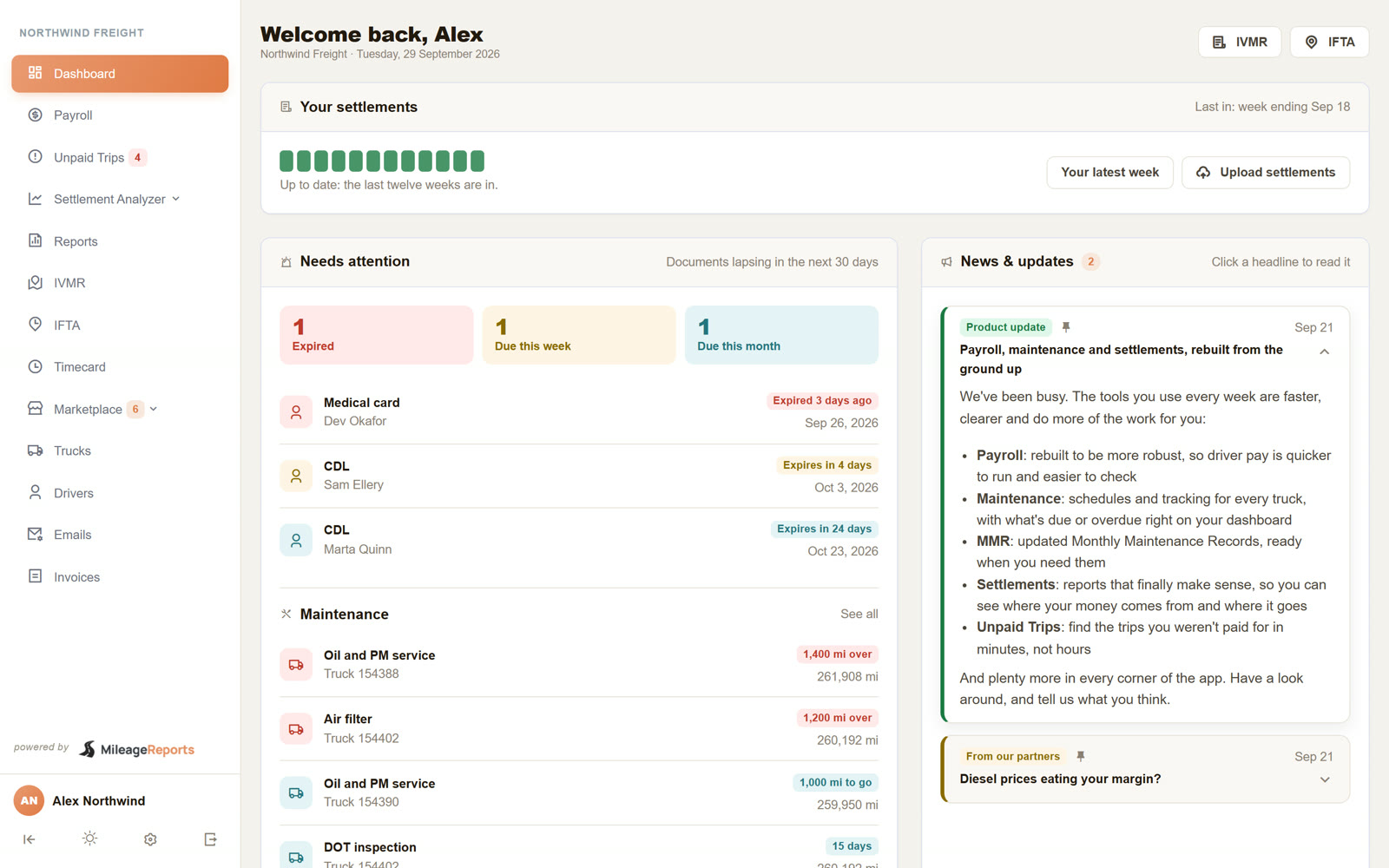
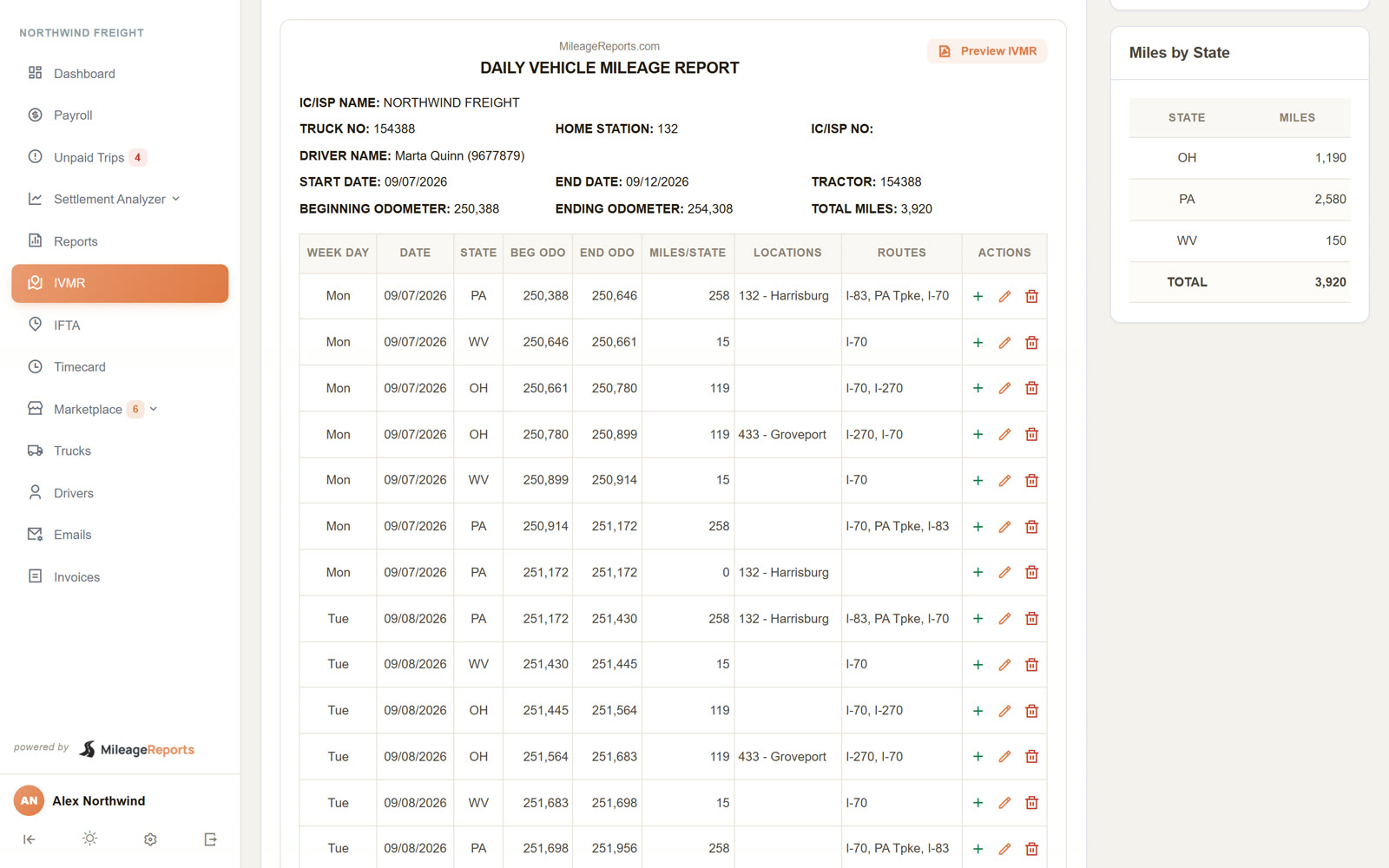
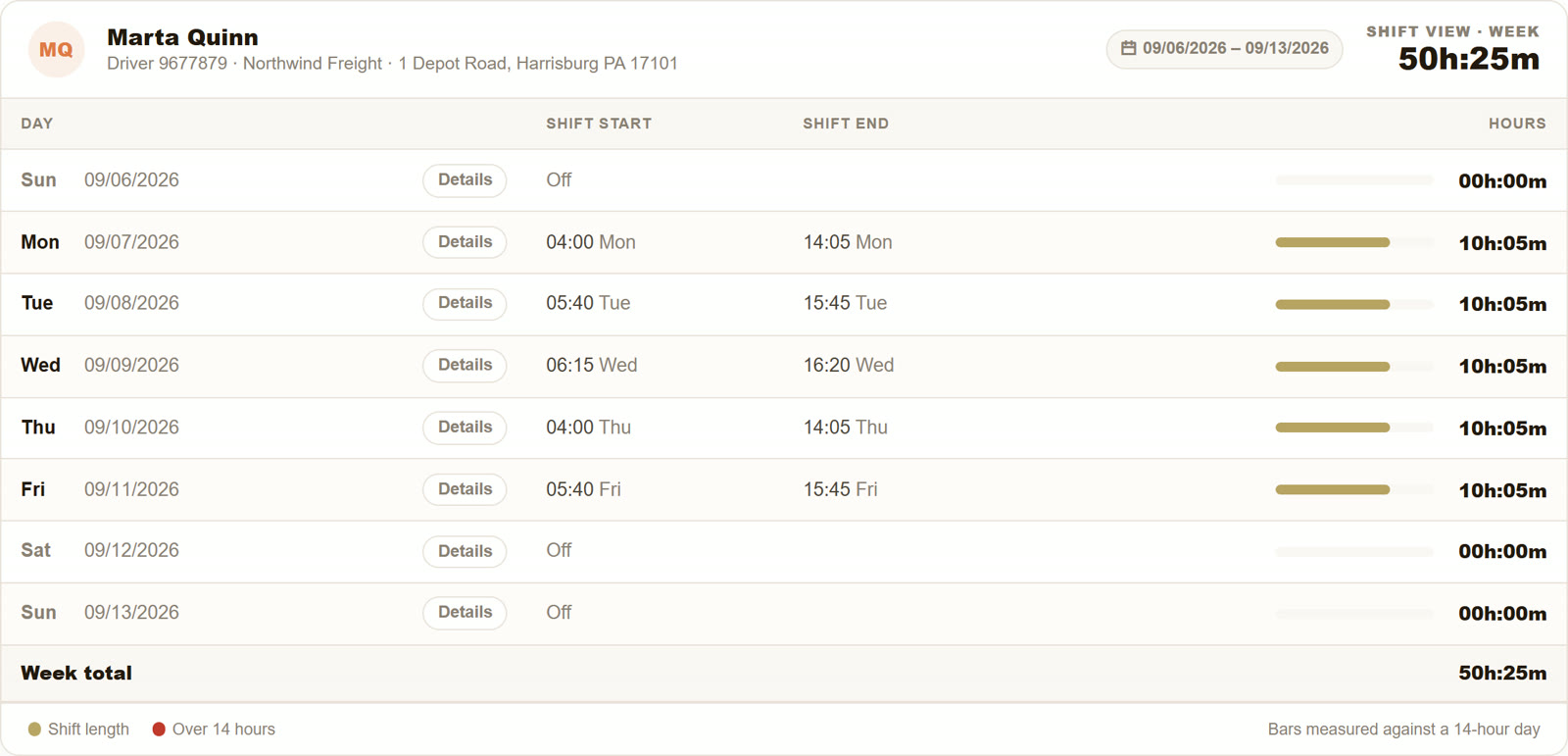
If you already have a Mileage Reports account, connect from inside the app:
You can also start from Motive's App Marketplace: find Mileage Reports, click Install, and approve. When you come back, click Sign in to finish and sign in with your Mileage Reports username; the connection is linked to your account.
Prefer to talk first? Book a demo.
The connection is read-only. We never change anything in your Motive account, and you approve access on Motive's own sign-in page, so we never see your Motive password. With your approval we read:
How we handle this data is set out in our Privacy Policy.
Your IVMRs are built by truck number, so each truck's number in Mileage Reports should match its vehicle number in Motive. When you set up, staff can bring your trucks over from Motive in one go. If a truck is added or renumbered later, change it in both places, or write to us and we will line them up.
Drivers come over from Motive by themselves every day, with any changes to their names or details.
A connection can stop working, for example when the Motive admin who approved it is removed, or when access is taken away in Motive. When that happens:
Reconnecting picks up where it left off. Nothing already in your reports is lost.
To stop sharing data, remove Mileage Reports from your connected apps in Motive's App Marketplace. Reports already built stay in your Mileage Reports account. If you are cancelling the service, please also let us know so we can close your account and stop billing.
Every day, on its own. Recent days may be updated as Motive finishes processing them.
A Motive fleet admin. The connection belongs to your company, not to that person, but it needs someone who can approve apps in Motive.
Yes. Connect each one, and they can all feed the same Mileage Reports account. Write to us if they should be kept separate.
You started from Motive's marketplace, so we don't know yet which Mileage Reports account is yours. Click Sign in to finish within 7 days; after that, connect again from Settings.
Check that its number matches the vehicle number in Motive exactly, and that the truck is active in Mileage Reports. If it still doesn't show, write to us with the truck number.
No. Your Motive data is used only to build your reports and run your account.
Email support@mileagereports.com
Call 610-732-3713
 Mileage